SoClean 2 Frequently Asked Questions
Yes, SoClean 3+ is now in-stock. Try it for 30 days with our money-back guaranee & enjoy free shipping. Learn more here.
The vast majority of SoClean 2 and SoClean 3 units in the field exceed five years of age, beyond their useful-life expectation. We are working to transition all of our customers to the SoClean 3+.
We only recommend using genuine SoClean filters. We do not recommend using a filter beyond its stated life of 6 months.
We only recommend using genuine SoClean filters. We do not recommend using a filter beyond its stated life of 6 months.
The SoClean can be used with a genuine SoClean filter that has not passed its 2 year shelf life. The box label will indicate the shelf life. 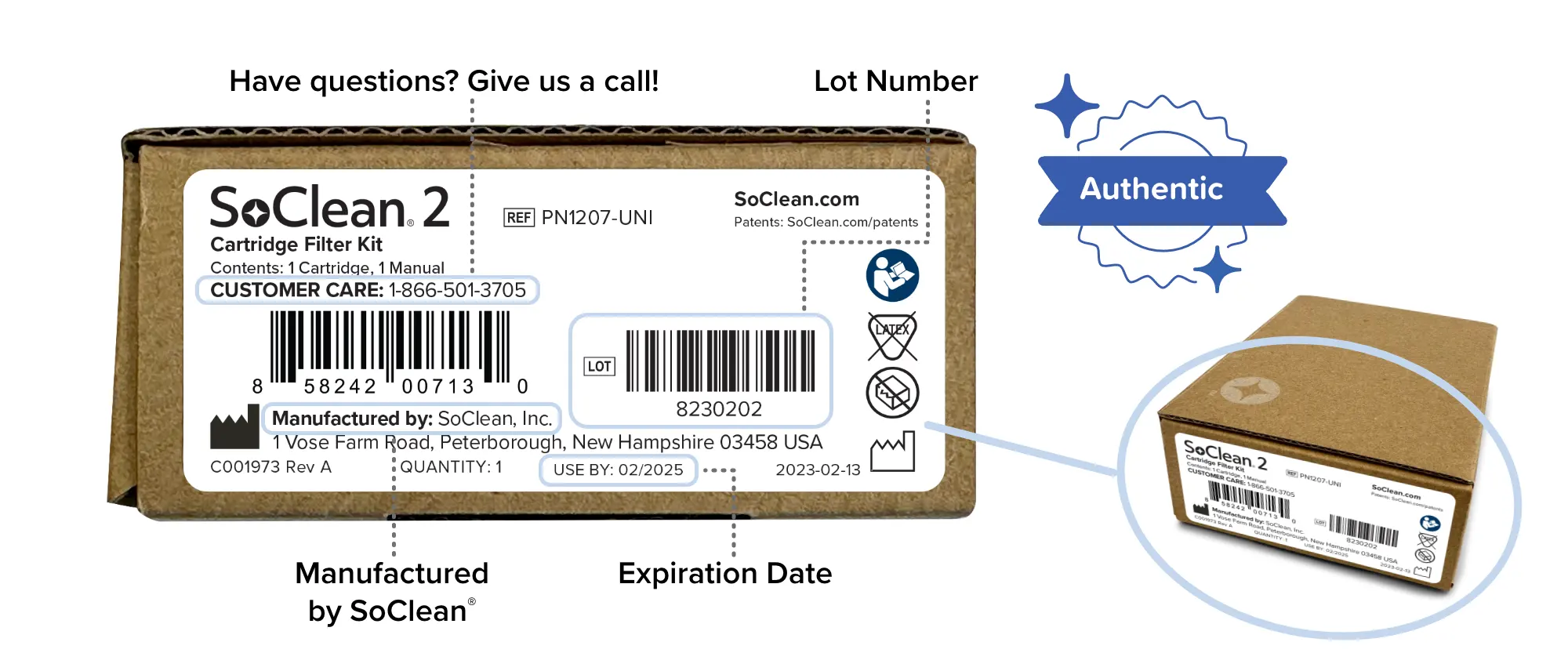
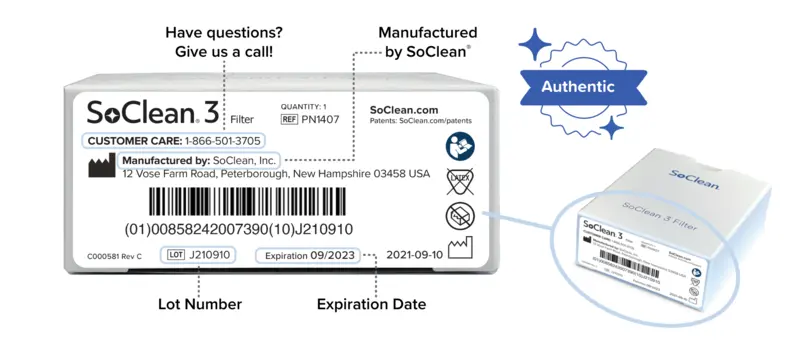
No, the SoClean product should not be operated without a filter.
Wash and clean your hose and mask regularly as recommended by the manufacturer. Use mild, unscented soap and warm, drinking-quality water.
The SoClean 2 connects to most popular sleep equipment hoses using the Hose & Mask Adapter. If you have any questions about your particular sleep equipment, please contact customer care at 866-501-3705.
The SoClean 2 runs a 7-minute cycle plus a 2 hour rest period. This ensures proper maintenance of the equipment and the rest period allows the Activated Oxygen (ozone) to convert back into regular oxygen.
You can reset the display screen by holding down the hourglass button and manual button together until you see a smiley face icon appear on the display screen. When you see the smiley face icon, the message has been cleared and reset. Learn more about SoClean 2 Filter replacements (including how to reset your machine) here.
When operating your SoClean 2 per the instructions for use, if there is a noticeable scent of ozone or other unfamiliar odor or you experience headache, cough or shortness of breath, leave the room for 4 hours. Contact SoClean Customer Care before running your machine again.
Videos
Changing the Cartridge Filter
Soclean 2 Timer and Notifications
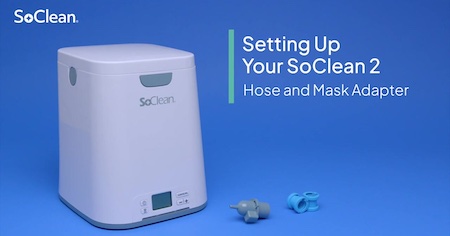
Setting Up Your Soclean 2 Hose & Mask Adapter


Pay over time with SoClean Easy Pay
Monthly payments made easy!

Shop now

Choose Easy Pay at Checkout.

Pay Later
One down payment today + 3 payments in the future.
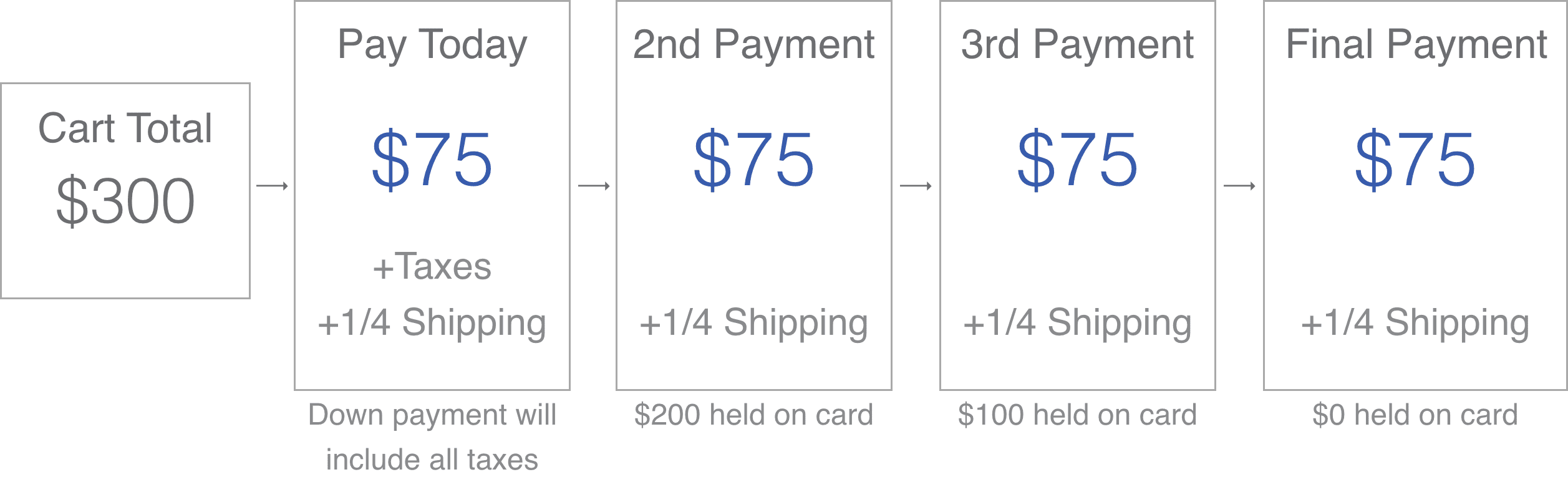
At the time of purchase, you will be charged a down payment equal to ¼ of your pre-tax cart total, ¼ of your total shipping cost, and any applicable sales tax. For the next three consecutive months, you will be charged an additional ¼ of your pre-tax cart total and ¼ of your total shipping cost. See full terms and conditions for additional details.
Easy Pay will not charge you interest or fees. Other potential interest, fees and/or charges may apply from your card issuer.
To be eligible for SoClean Easy Pay, you must own a VISA or MasterCard, American Express, Discover, or JCB credit card.
SoClean Easy Pay sales are not eligible for our free-shipping promotions.
Pay over time with SoClean Easy Pay+
Monthly payments made easy!
Shop now
Choose Easy Pay at Checkout.
Pay Later
$1* down + sales tax
and 3 equal payments in the future.
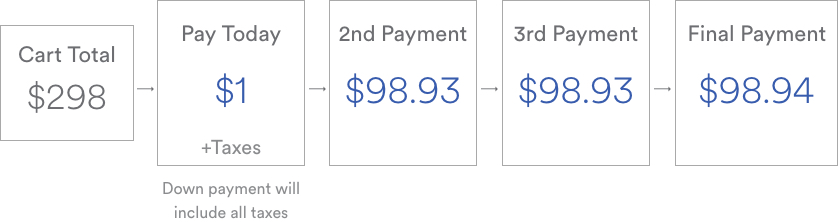
*$1 assumes the purchase of a SoClean 3 at $348. The actual down payment will be 0.403% of the pre-tax cart total.
At the time of purchase, you will be charged a down payment equal to 0.403% of your pre-tax cart total, and any applicable sales tax. For the next three consecutive months, you will be charged an additional 33.199% of your pre-tax cart total. See full terms and conditions for additional details.
Easy Pay+ will not charge you interest or fees. Other potential interest, fees and/or charges may apply from your card issuer.
To be eligible for SoClean Easy Pay+, you must purchase a new SoClean 3 from the soclean.com website and you must own a VISA or MasterCard, American Express, Discover, or JCB credit card.